About Video & Image Compressor App
Save device storage by making photos and videos smaller with Image Resizer. Compress one file or process an entire batch. Choose a recommended setting for quick results, or adjust dimensions, resolution and output size...
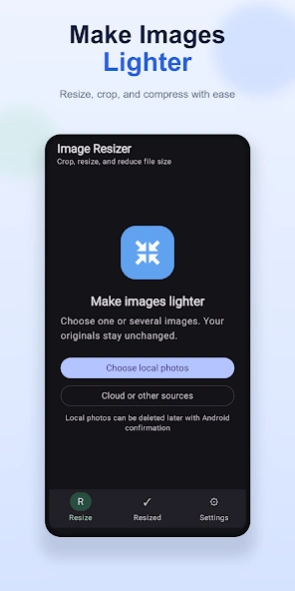
Save device storage by making photos and videos smaller with Image Resizer.
Compress one file or process an entire batch. Choose a recommended setting for quick results, or adjust dimensions, resolution and output size when you need more control. Compare your original and processed files before deciding what to keep.
PHOTO COMPRESSION AND RESIZING
• Compress photos using recommended quality settings
• Fit photos to a target file size in KB or MB
• Resize by percentage, fit dimensions or exact dimensions
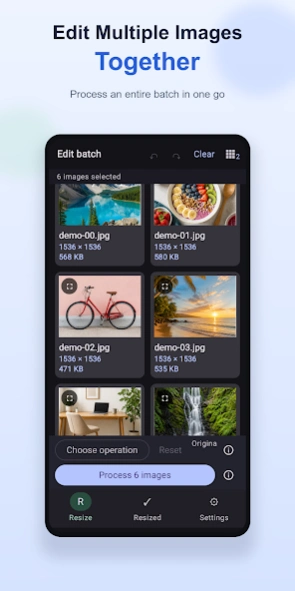
• Process one photo or an entire batch
• Preserve the original aspect ratio or choose a custom size
• Preview original and processed file sizes and dimensions
CROP AND EDIT PHOTOS
• Free crop with movable corners and edges
• Pinch to zoom and pan beneath the crop area
• Use common aspect ratios such as 1:1, 4:5 and 16:9
• Rotate, mirror and flip photos
• Adjust brightness and contrast
• Apply edits to the complete batch or refine individual photos
• Undo, redo or return to the original selection
VIDEO COMPRESSION
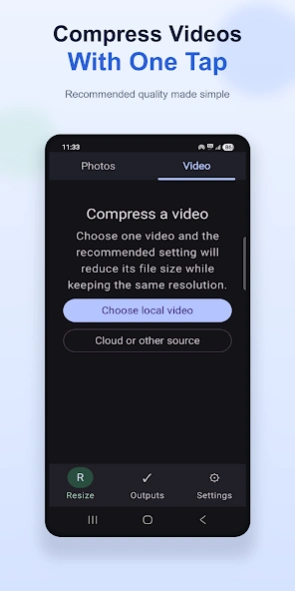
• Compress videos using a recommended quality setting
• Choose an output resolution when a smaller file is needed
• Select and process multiple videos
• View estimated output size before processing
• Follow batch and per-video processing progress
• Compare original and compressed video sizes
EDIT VIDEOS
• Trim the beginning or end of a video
• Rotate, mirror or flip videos
• Remove audio when needed
• Apply an edit to one video or the selected batch
• Preview and play processed videos
KEEP CONTROL OF YOUR FILES
Image Resizer saves processed files as new copies by default, so your originals remain unchanged. After reviewing the results, you can share the new files, delete the originals, or replace them when supported by Android and the selected storage provider.
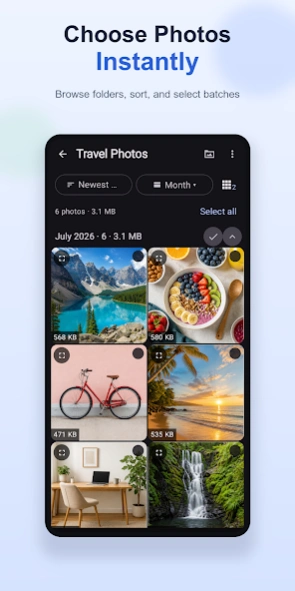
Use the built-in local gallery to browse folders, sort media by date or size, select groups and find files taking up storage. Files from cloud and other document providers can also be imported when supported.
Image Resizer is useful when you want to:
• Free up device storage
• Reduce upload and sharing time
• Meet website or form file-size limits
• Prepare photos and videos for messaging, email or social media
• Resize or crop several photos together
• Compress camera photos and videos while controlling the result
Choose your media, select the operations you need, process the files and compare the results—all in one straightforward workflow.
Previous Versions
Here you can find the changelog of Video & Image Compressor App since it was posted on our website on 2019-09-06 10:55:58.
The latest version is and it was updated on 2026-10-12 17:30:05. See below the changes in each version.
Video & Image Compressor App version
Updated At: 2026-09-16
Video & Image Compressor App version 2.0.8
Updated At: 2026-08-11
Changes: ★ Compress photos and videos to save storage while keeping great quality.
★ Improved crop controls with smoother zooming, easier resizing, and better editing.
Video & Image Compressor App version 2.0.7
Updated At: 2026-08-02
Changes: ★ Compress videos with recommended quality and significantly reduce file size.
★ Trim, rotate, mirror, flip or mute videos before compression.
★ Improved background processing with live progress and completion notifications.
Video & Image Compressor App version 2.0.5
Updated At: 2026-07-29
Changes: ★ Select, resize, crop, rotate, and adjust multiple images with an improved gallery experience.
★ Process large batches reliably in the background with live progress notifications.
★ Easily compare results, organize resized images, and delete or replace originals when needed.
Video & Image Compressor App version 2.01-free
Updated At: 2025-04-20
Changes: New scale feature, scale images by dimensions.
Video & Image Compressor App version 2.00-free
Updated At: 2025-04-09
Changes: Latest api updates
Video & Image Compressor App version 1.38-free
Updated At: 2019-03-14
Changes: * Edit images Added with cool Stickers!.
* Refreshed UI.
Disclaimer
Official Google Play Link
We do not host Video & Image Compressor App on our servers. We did not scan it for viruses, adware, spyware or other type of malware. This app is hosted by Google and passed their terms and conditions to be listed there. We recommend caution when installing it.
The Google Play link for Video & Image Compressor App is provided to you by apps112.com without any warranties, representations or guarantees of any kind, so access it at your own risk.
If you have questions regarding this particular app contact the publisher directly. For questions about the functionalities of apps112.com contact us.